Free SharePoint Template
Plan, track, and report on projects with ease. Includes ready-to-use templates for SharePoint On-Premises, compatible with SharePoint Server 2013, 2016, 2019, and Subscription Edition.
-
Plan & Track – Tasks, dashboards, and Gantt charts
-
Easy Setup – Ready-to-use, no coding needed
-
Proven Process – Personalized deployment services
Get Free SharePoint Template
By signing up, I agree to BrightWork’s Privacy Policy.
Trusted by industry leaders
Simple Project Management with SharePoint
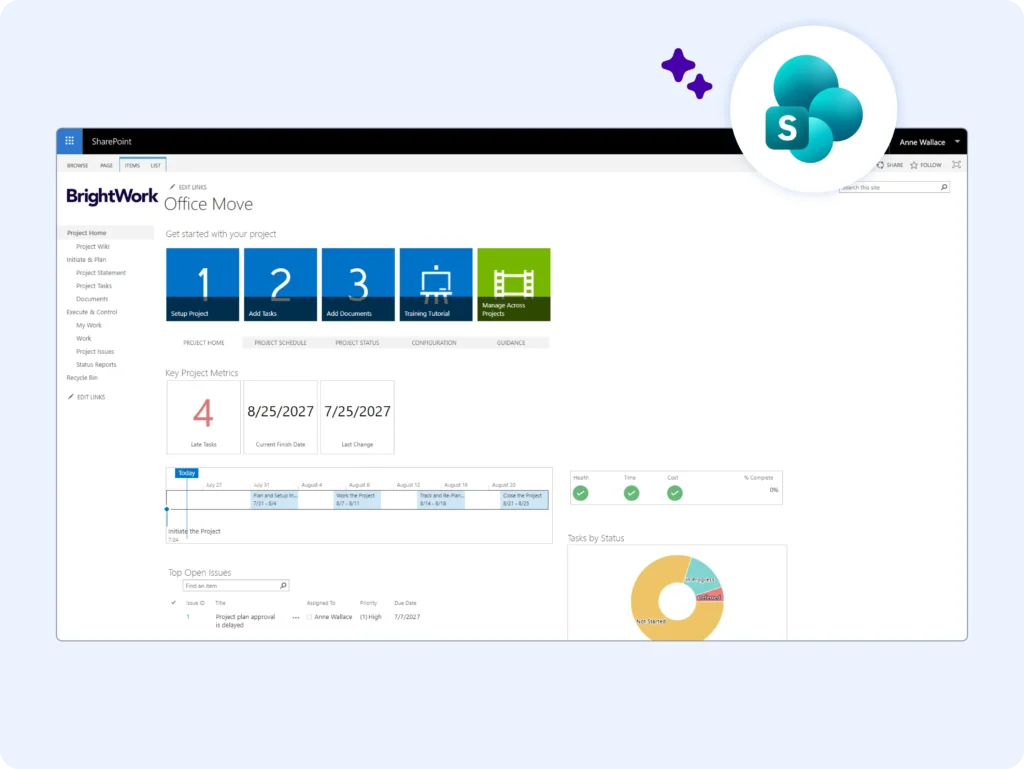
Easily plan, track, and report on projects using a free SharePoint On-Premises template. With no coding required, it offers ready-made dashboards, charts, and tools based on a proven project management process to help teams start and manage projects efficiently.
Frequently Asked Questions
The free SharePoint project management template makes setup effortless so you can focus on working with your team. It plugs into your existing SharePoint On-Premises infrastructure with no coding required.
The template is based on our proven 5-Step PPM process, putting nearly three decades of project management experience into your hands.
Use the ‘Getting Started’ tiles to plan your project with a project statement, tasks, and documents in just a few clicks. The project homepage includes ready-to-use metric tiles, charts, dashboards, and a Gantt chart.
Yes! We created the Free Template to help project teams be more successful with project management on SharePoint. It’s free forever, and you can use it for as long as you need to.
The Free Template works with SharePoint 2019, 2016, 2013, and Subscription Edition. If you are using SharePoint Online, we recommend checking out BrightWork 365 for Microsoft 365.
The Free Template is a no-code solution, so you don’t need to add any code to your servers. The Free Template is designed to plug straight into your existing SharePoint environment.
It takes less than five minutes to download and install the Free Template and create a project site. The template is pre-configured using project management best-practices and is ready to use out-of-the-box.
For step-by-step instructions, please see our Install guide here. Note – you will need to have full site collection administration permissions to install the template in your SharePoint environment.
You can create as many project sites as you need to with the Free Template! However, you cannot report across project sites using the Free Template.
You can modify and change the project lists and wiki in the Free Template, just like any SharePoint site. Due to the no-code approach, it’s not possible to change the appearance of the metric tiles and task charts on the project homepage.
The Free Template can only be used to manage individual projects. You can create as many sites as needed using the Free Template, but it’s not possible to report across these project sites.
Cross-project and portfolio reporting is very easy with the full BrightWork Project and Portfolio Management Solution for SharePoint.
If you are using SharePoint Online in Microsoft 365, we recommend checking out our BrightWork 365 solution.
The Free Template is a no-code SharePoint solution that can be used to manage individual projects. The template is based on the ‘Project Lite’ template in the full BrightWork solution.
BrightWork PPM Software for SharePoint On-Premises allows teams to create, manage, and report across multiple projects and portfolios.
If you are using SharePoint Online in Microsoft 365, we recommend checking out our BrightWork 365 solution.
Customer Success Stories









Looking for templates on Microsoft 365?
BrightWork 365 lets you plan, manage, and collaborate in Microsoft 365.